WordPress替换编辑文章的“在此输入标题”文本
先说说应景场景,我们在插件开发时经常用到Wordpress的自定义文章类型,在WordPress后台编辑文章时,标题默认提示文本是“在处输入标题”,而自定义的文章类型则需要替换这个文本,提升插件可用性,同时能优化一下用户体验。
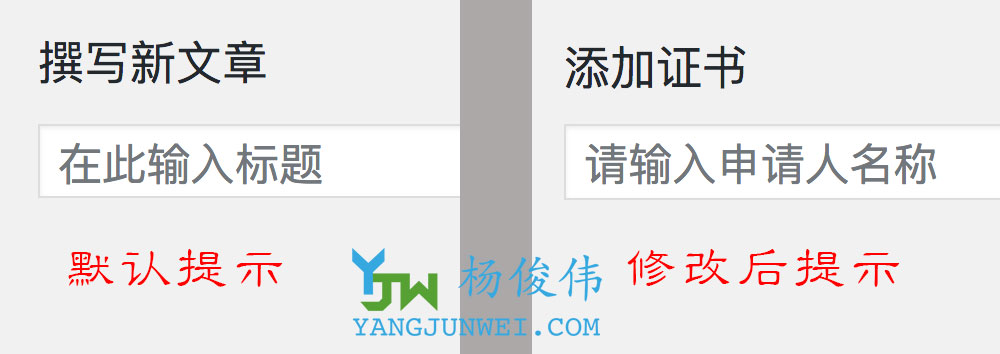
我们找到这个文本的hook是“enter_title_here”,于是替换代码自然就有了。
/**
 * Change title boxes in admin
 *
 * @param string  $text 显示文本
 * @param WP_Post $post 当前文章类型.
 * @return string
 */
add_filter( 'enter_title_here', 'Yangjunwei_change_title_text', 1, 2 ); //一般调用
add_filter( 'enter_title_here', array( $this, 'yjw_change_title_text' ), 1, 2 ); //class类内部调用
function Yangjunwei_change_title_text( $text, $post ) {
	switch ( $post->post_type ) {
		case 'movie':
			$text = esc_html__( '请输入电影名称', 'Yangjunwei' );
			break;
		case 'product':
			$text = esc_html__( '请输入产品名称', 'Yangjunwei' );
			break;
	}
	return $text;
}
如果在默认文章类型中修改时,可直接去掉 $post 参数。